


For a funeral slideshow, allow 7 to 9 seconds per photo. A song of 3 minutes then takes around 23 to 25 photos. A full service usually has 3 to 5 musical moments, of which two to four often have photos. That brings you to roughly 50 to 120 photos and 20 to 45 minutes of presentation. Below you will find the table, so that you know for each song how many photos you need.
How many photos per song? The table
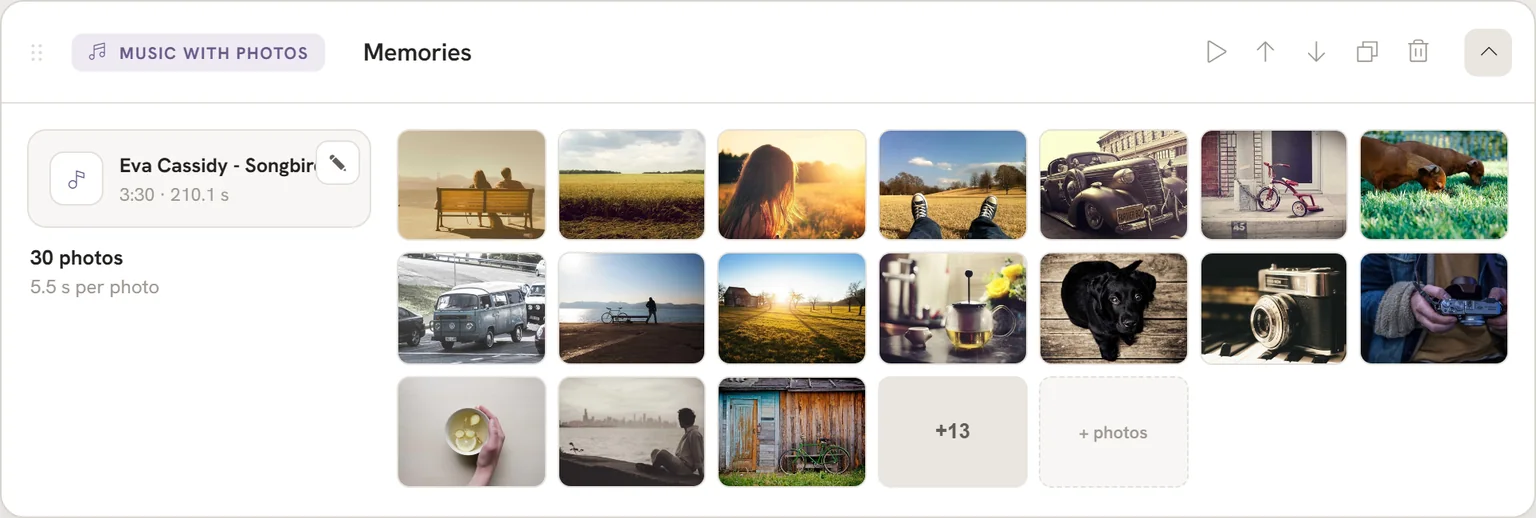
The rule of thumb we recommend: 7 to 9 seconds per photo. That already includes the transition. In our tool, a gentle transition from one photo to the next takes one and a half seconds by default. At 7 seconds, each photo is therefore on screen, still and calm, for about 5.5 seconds, with one and a half seconds spent in the transition. In the tool you don't have to work this out yourself: you choose the song and the photos, and the time per photo is matched automatically to the length of the song.
Which pace suits depends mostly on the music. With a lively, upbeat song it can be a little quicker, 5 or 6 seconds per photo. With a calm song, 8 or 9 seconds is often lovelier. In the end, the family decides what feels right. With the preview in the tool you can see straight away whether the pace works.
You can also work it out the other way round. Add up the length of all the songs with photos in seconds and divide that by the number of photos you have. If you end up at around 7, you are in good shape. If you end up at around 5, it is wise to make a selection first. You can read more about this in the most frequently asked questions about funeral presentations.
The table shows, for each song length, how many photos fit. The numbers are rounded down.
| Song length | ~6 seconds per photo (lively) | ~7 seconds per photo (guideline) | ~9 seconds per photo (calm) |
|---|---|---|---|
| 2:30 | 25 photos | 21 photos | 16 photos |
| 3:00 | 30 photos | 25 photos | 20 photos |
| 3:30 | 35 photos | 30 photos | 23 photos |
| 4:00 | 40 photos | 34 photos | 26 photos |
| 4:30 | 45 photos | 38 photos | 30 photos |
| 5:00 | 50 photos | 42 photos | 33 photos |
How to read the table: check how long the song is (you will find this in the music player or in the file information) and read off in the middle column roughly how many photos you need. A few photos more or fewer is no problem.
What about the transition?
In the table, the 7 seconds is the whole rhythm of photo plus transition. You don't need to add anything to it. If you want each photo to stand still for the full 7 seconds, add the one and a half second transition. You then allow 8.5 seconds per photo and choose a few photos fewer; that is the calm column.
Matching the photos to the music
Anyone building a presentation by hand in PowerPoint has to set the time for each slide and then check that the last photo coincides exactly with the end of the song. That is precision work. A difference of a few seconds means the music stops while a photo is still showing, or the screen is already empty while the music plays on.
In our tool there is no need for that. You put photos into a Music with photos block and the time per photo is matched automatically to the length of the song. If you have 24 photos for a song of 3:30, each photo simply gets a little more time. If you have 32, a little less. The table is then mainly a guide for deciding how many photos to pick out.
Do watch out for the extremes, though. Put 60 photos on a three minute song and they flash past. Put 8 on it and each photo stands still for well over 20 seconds. Stay close to the table and all will be well.
How long is a funeral slideshow in total?
At a full service, the presentation usually runs for 20 to 45 minutes. That is not only the time with photos and music. During the speeches there is also something on screen, often the memorial photo or a calm slide with the name. Those moments count towards the total length, but don't take any extra photos.
A common structure looks like this:
- Entrance: music with a calm slide or a short series of photos while the guests take their seats.
- Two or three speakers, with the memorial photo on screen.
- Two or three musical moments with photos between the speeches.
- Possibly a video or live music.
- Final farewell: music that plays on until the room is empty.
You can read what such a structure looks like in practice in the running order of a funeral service. The length of the service itself depends on how long the room is booked for. Ask the venue how much time you have, so that you don't plan in too much music.
How many musical moments and how many photos in total?
Most services have 3 to 5 musical moments. Not every moment needs photos. For the entrance and the final farewell, many families choose one fixed photo or the memorial photo, so that the attention stays with the people in the room. The photos then mainly go into the songs between the speeches.
A worked example. Say you have four musical moments of 3.5 minutes on average and you want to show photos during all four. At 7 seconds per photo, that comes to 4 times 30, which is 120 photos. If you don't show a series of photos at the entrance and the farewell, two songs remain and you need around 60 photos. In our tool, the Entrance and Final farewell blocks always show one image; if you would still like a series of photos there, use a Music with photos block.
You can read more about the number of songs and how to choose them in choosing music for a funeral.
Better a few photos too few than too many
It often feels as though every photo has to go in. In practice, a smaller, well chosen selection works better. The room watches attentively and people recognise moments. With 150 photos across two songs, that is no longer possible to follow. You will find tips for choosing in choosing photos for the funeral presentation.
Do you have only a few photos? That can be solved well too, for example with a longer time per photo or one song with photos instead of three. Read more about this in making a funeral presentation with only a few photos.
Portrait and landscape photos
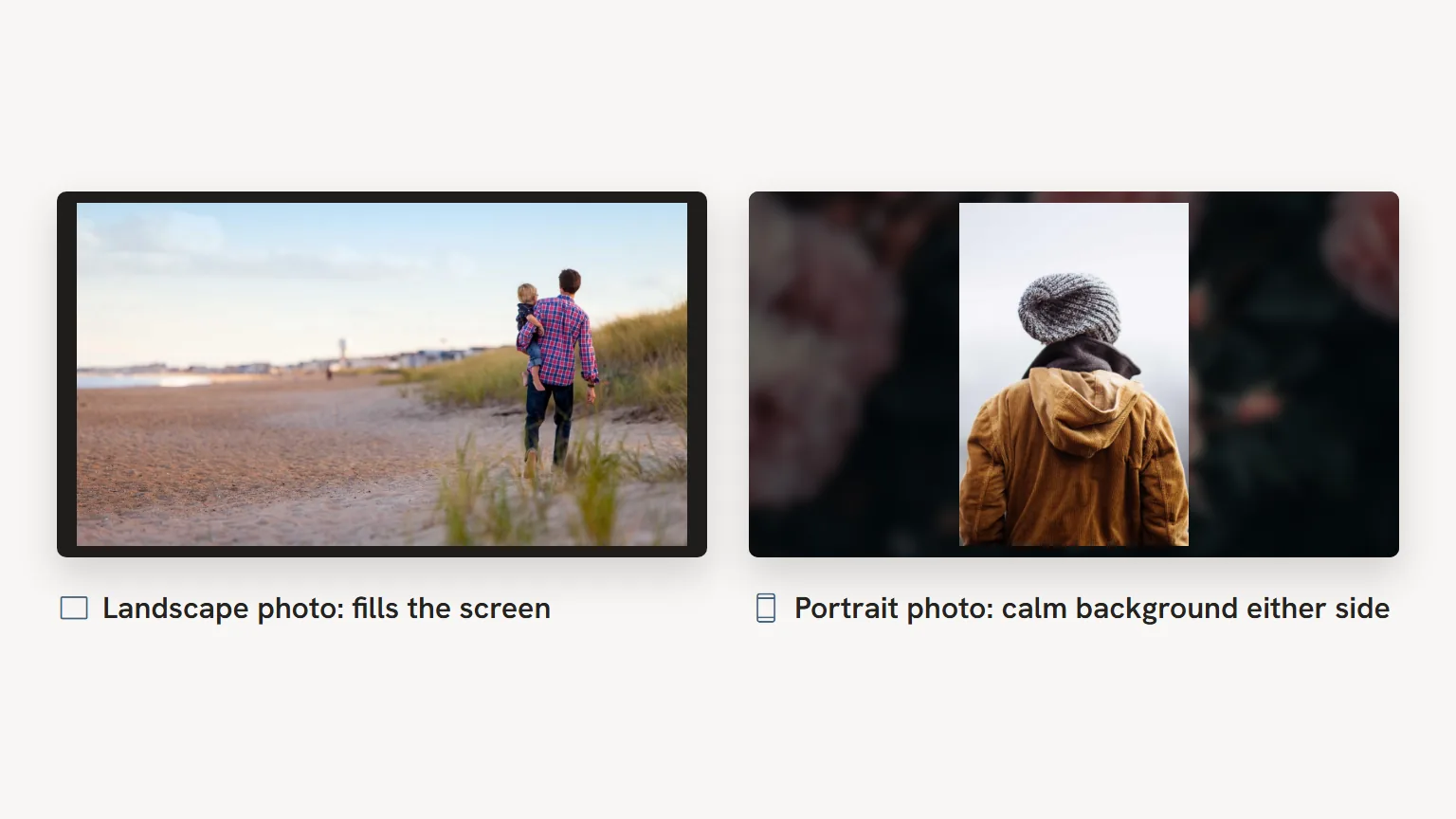
A screen in a chapel or service room is almost always wide (16:9). A landscape photo fills that screen well. A portrait photo sits in the middle with an empty band on either side. That is not a problem, but if half of your photos are portrait, the presentation feels restless.
There are two solutions. You can crop a portrait photo into a landscape image, if the subject allows it. Or you leave the portrait photo as it is and choose a suitable background, so that the empty space looks calm. You can do both in the tool.
Where do you start?
Start with the music. Once the songs are settled, you know how long they last and can use the table to work out how many photos you need per song. After that, choosing goes a lot faster, because you have a target.
Do the photos still need to be gathered from family or from old albums? Then read first about gathering photos and digitising old photos. The complete step by step plan is in making a funeral presentation, step by step.
Frequently asked questions
How many photos do you need for a funeral slideshow?
Allow 7 to 9 seconds per photo, including the transition. A song of 3 minutes then takes around 23 to 25 photos, a song of 4 minutes 32 to 34. For a full service with two to four songs with photos, you will usually end up between 50 and 120 photos.
How many seconds per photo is right?
7 to 9 seconds per photo works for most services. The transition of one and a half seconds is included in that. With a lively song, 5 or 6 seconds can work; with a calm song, 8 or 9 seconds is often lovelier. If you end up at around 5 seconds, make a selection first.
How long is a funeral slideshow?
A funeral service usually lasts about an hour, of which the presentation often runs for 20 to 45 minutes. That includes the moments when a memorial photo is on screen during the speeches. How much time you have depends on how long the room is booked for at the venue.
Do I need to match the number of photos exactly to the song?
If you work by hand in PowerPoint, yes, otherwise the ending won't line up. In our tool, the time per photo is matched automatically to the length of the song. A few photos more or fewer than the table is then no problem.
How many musical moments does a funeral service have?
Usually 3 to 5. Often these are the entrance, two or three songs between the speeches and a song at the final farewell. Not every song needs photos.